
IT service management for organisations that run on Microsoft 365
One service desk for requests from Teams, email and the web, with routing, SLAs, approvals, change control and reporting. For IT departments and the providers who support them.
30-day trial · no card required · English, French and Spanish
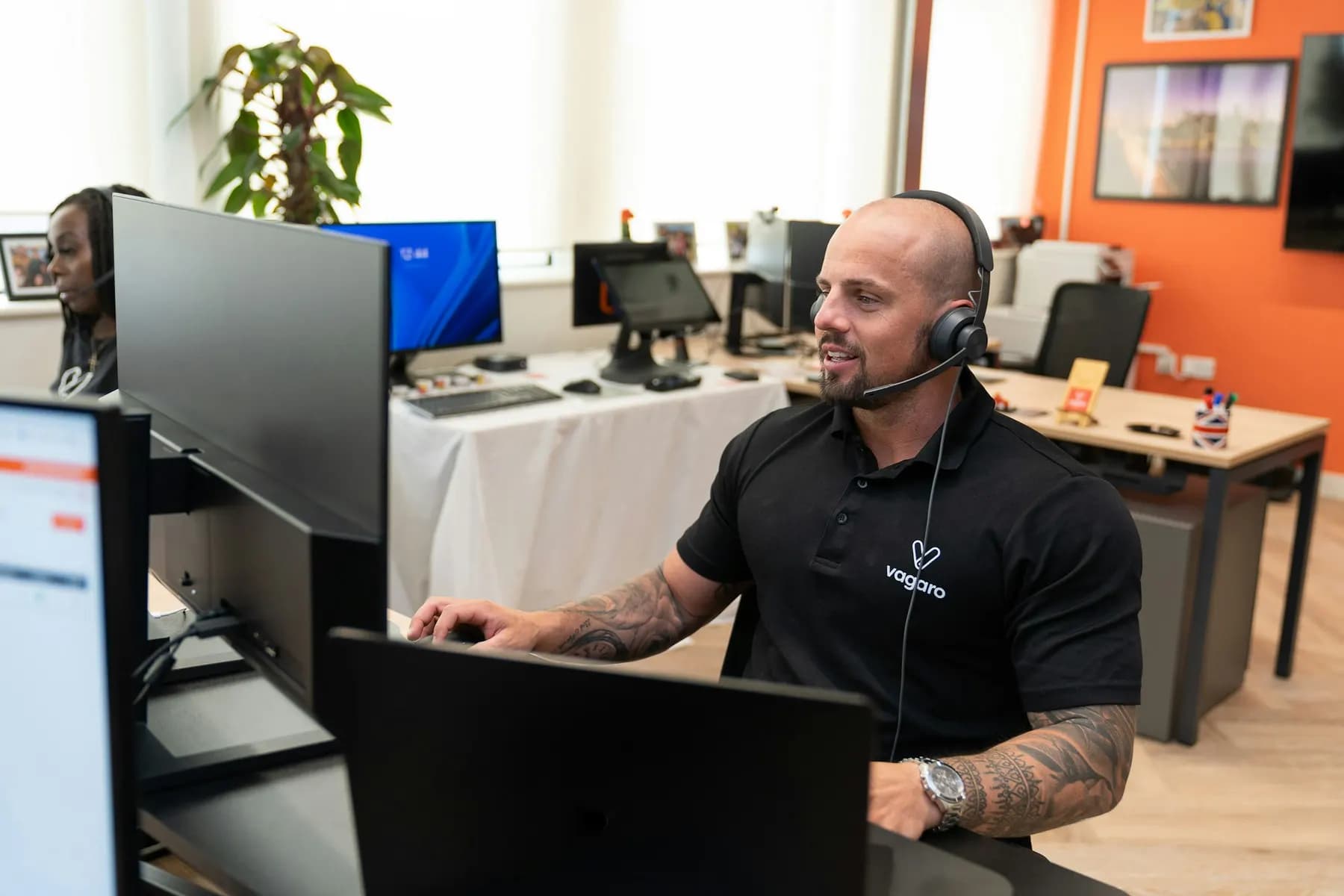
Whole office cannot reach the ERP
Works with the tools you already use
- Microsoft Teams
- Microsoft Entra ID
- Microsoft Intune
- Outlook
- Power Automate
- Okta
- Google Workspace
Service desk
Every request reaches the right person, and nothing is forgotten.
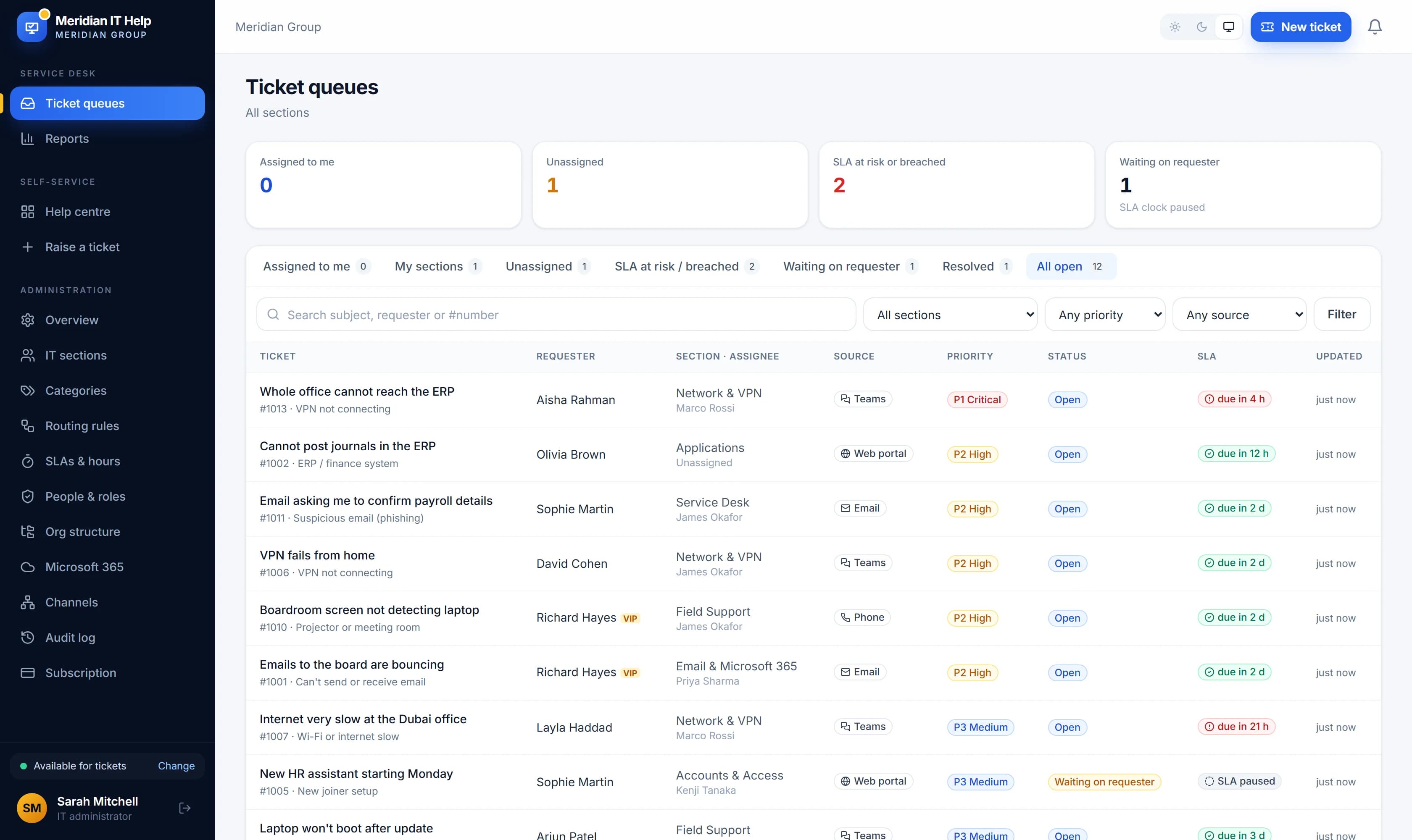
Requests arrive from Teams, email, the web portal, the phone and walk-ins, and land in one queue with the same rules and reports.
Platform
One platform for IT service, operations and adoption
Start with the service desk and switch on more as your IT department grows. Everything shares the same people, tickets and reports.
Service management
Requests from Teams, email, the portal and the phone in one queue, routed to the right team and tracked against your service levels.
- Routing rules and SLAs in business hours
- Self-service portal and knowledge base
- Approvals by the requester's manager
IT operations
The processes larger IT departments run, kept simple enough for a small team to use every day.
- Major incidents with updates in Teams
- Problems, known errors and changes
- Assets from Intune and renewal reminders
Automation and insight
Let rules handle routine work and give leadership the numbers they ask for.
- Automations and custom fields
- Report builder and executive PDF
- Vekta AI: summaries, reply drafts and self-help answers
Adoption & Learning
Step-by-step guides and courses that help staff use Microsoft 365, with progress you can report on.
- Courses assigned by department
- Certificates and course surveys
- Ready-made Microsoft 365 courses

Every channel
One queue for every way people ask for help
Staff reach IT the way that suits them. Every request lands in the same queue, with the same service levels and the same reports, however it arrived.
- Microsoft Teams
- Chat with the VektaDesk app
- helpdesk@yourcompany becomes tickets
- Web portal
- A simple help centre
- Phone & walk-in
- Logged by IT in seconds
Microsoft Teams
Reporting a problem is as easy as sending a message.
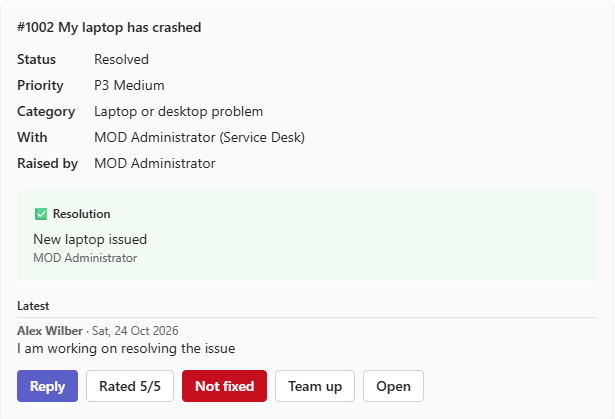
Staff chat with VektaDesk in Teams. They describe the problem in their own words and VektaDesk turns it into a ticket, with the category, summary and details filled in. When IT replies, the answer arrives in the same chat.
- For staff
- Raise, follow and reply to tickets without leaving Teams
- For technicians
- Assignments with Reply, Take it, Resolve and Team up buttons
- For managers
- Approve or decline requests with one tap
- For IT admins
- Installed for everyone by your Microsoft 365 admin in minutes

Vekta AI
Summaries, reply drafts and self-help answers, checked by your team
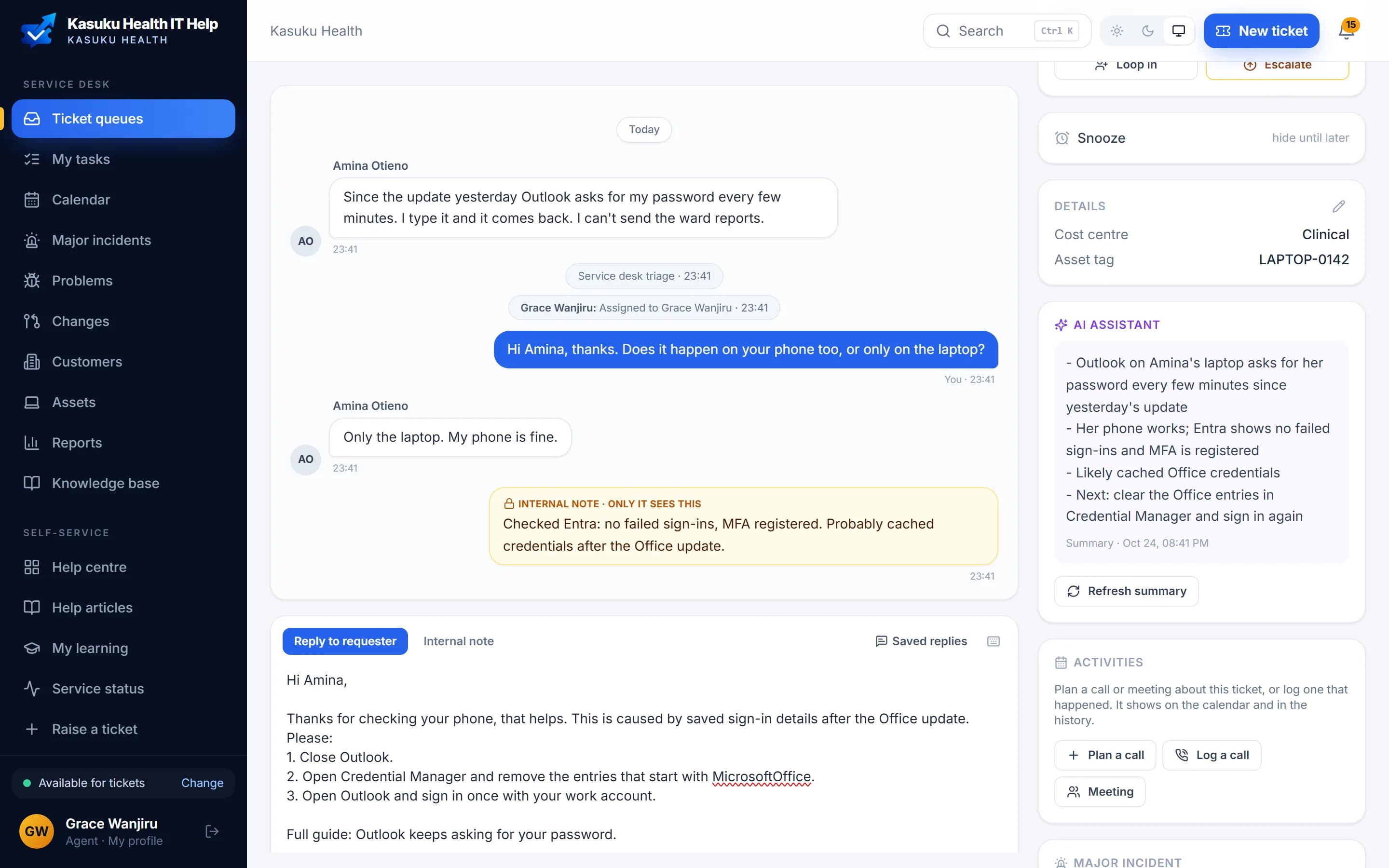
Vekta AI is available on Business and Enterprise. Agents get a summary of any ticket and a draft reply in the requester's language; staff get answers from your own help articles before they raise a ticket. Your ticket data isn't used to train AI models.
Also from us
Training for the whole organisation, not just Microsoft 365
VektaLearn is our training platform for compliance, onboarding and policy courses. Learners practise in simulations, find the risks in real-looking emails and earn certificates anyone can verify. Vekta AI turns a policy into a course draft, and the SCORM courses you already own play too.
Visit VektaLearn
- Courses from lessons, videos, documents and quizzes
- Simulations and Spot the risk exercises
- Assignments, due dates and reminders
- Certificates with a QR code and a public check
- Files kept in your own storage, or ours
Solutions
Built for the way your IT is organised

IT departments
One service desk for the whole organisation. Staff sign in with Microsoft 365 and appear with their departments, offices and managers, so tickets arrive with the context IT needs.
Explore the service desk
IT service providers
Managed service providers and IT consultancies support every client from one desk: client portals, contracts with included hours, time tracking and invoices in the client's language.
VektaDesk for IT providers
Group companies
Subsidiaries, branches abroad and acquisitions on separate Microsoft 365 tenants, supported by one IT team with reports split by company.
Supporting several tenants
Security
Controls your auditors will recognise
VektaDesk follows your Microsoft 365 security policies and gives you the records to prove what happened, and who did it.
- Microsoft sign-in and MFA
- Staff sign in with Microsoft 365, so your MFA and Conditional Access rules apply. VektaDesk never sees their passwords.
- Single sign-on and SCIM
- Okta, Google or any OIDC provider on Enterprise, with accounts created and removed automatically.
- Audit log
- Every sign-in, role change, settings change and export is recorded with who, when and from where. Export it for your auditors.
- Retention and export
- Delete or anonymise closed tickets after the period you choose, and export your data at any time.
Pricing
Priced per IT agent. Everyone else is free.
Staff who raise tickets never count towards your bill. Plans are billed yearly, with every feature of your plan included in the trial. Prices in US dollars, excluding VAT and sales tax.
Starter
$120
per agent, per year
Business
$300
per agent, per year
Enterprise
$540
per agent, per year

See VektaDesk with your own setup
A 30-minute call with our team, set up the way your IT department works. If it fits, your trial can start the same day.